


In the business
world, drop shipment stands for direct delivery of products from the vendor and
linking it with purchase orders without physically holding the products in a
warehouse or depository. Here, leveraging the elemental capabilities of
Business Central can let you ease the complexities, streamline the processes
involved, and drive higher operational efficiency.
Drop
Shipment in Business Central
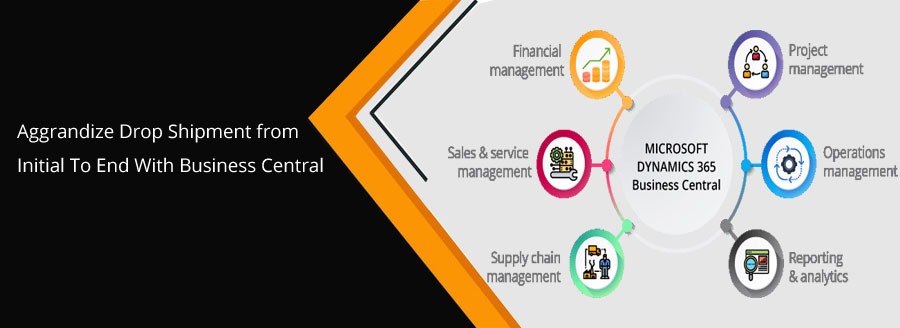
With the deployment of Microsoft Dynamics 365 Business Central, preparing a drop shipment gets super easy and steers high operational efficiency like never before. Everything gets at the fingertips of the administrators with a few clicks only.
Key Advantages
-
- Minimized startup costs
- Greater Scalability
- Reduced Inventory Management
- An array of product offerings
- Extensive flexibility
- Easy tracking of extensive
inventories - Analytics and Reporting Features
Fundamentals
-
- Creating a Sales Order
This initial step of drop shipment in Business Central, a Microsoft Cloud ERP involves entering order type, appropriate sales organization, distribution channel, selecting division, and creating a sales order reference. It is particularly an inquiry from a customer that consists of one or more items that indicate the quantity or service mentioned in the order.
-
- Creating a Purchase Order
Once the sales
order is created, the next step involves creating a Purchase Order. Here, it
enables you to quickly send requests for quotation, select a vendor, receives
goods or services, checks and authorize invoice, and initiate the payment. The
‘Ship To’ dropdown menu in Business Central, a SaaS solution by Microsoft,
helps business administrators create a purchase order with the least hassle and
within a stipulated time.
-
- Drop Shipment
Business Central
allows you to have a list of all sales orders for the selected customers. You
can select the correct sales and proceed with the receiving. In particular, it
ships the product or service purchased directly to the customer from the
selected vendor without stocking it.
| CUSTOMER PLACING ORDER > SENDING ORDER TO SUPPLIER > SUPPLIER PREPARES CUSTOMER ORDER > SHIPPING ORDER |
-
- Posting the Sales Order
After initiating
the drop shipment, you need to post the sales order. Business Central’s
extensively engineered and interactive dashboard enables you to select the
SALES ORDER and initiate SEND with a simple point-and-click experience. Next,
you can choose an invoice option and send the copy to the customer to ensure the
successful posting of a sales order
-
- Posting the Purchase Invoice
For the most part, you can find purchase orders under ‘Ongoing
Purchases’, select order, invoice option, and send it to the customer. In
particular, it updates the vendor’s account, General Ledger, item ledger
entries, and resource ledger entries efficiently. With Business Central, you
create both receipt and invoice while posting the purchase invoice.
Under all circumstances, Dynamics
365 Business Central delivers extensive automation and flexibility to
mitigate complicated drop shipments, simplify the process, and let your
customers feel valuable. Above all, upgrading from NAV to Business Central is
lucrative in terms of substantial business growth, effective customer
management, higher efficiency, and other verticals as well.
In such a case, connecting to a certified reseller of Business Central License in India with a global reach can help you unveil all the probabilities of an efficient drop shipment.
Being an accredited
and certified Business Central partner, we have come up with Business Central
License in India and looking for potential businesses to thrive in this
competitive world with rich industry expertise and under the aegis of our 18+
years of experience.
For detailed information, Schedule A Demo!