Connecting training performance with CRM intelligence

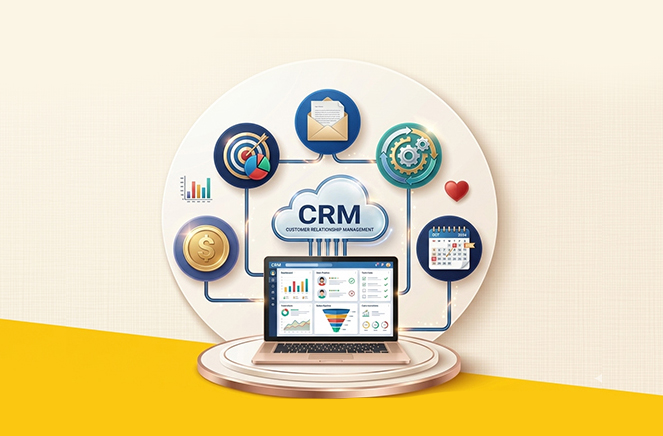
inoday delivered a Dynamics 365 CRM integration with RKMBS, a sales readiness and training platform, to help the organization bring training data, certification progress, and sales performance into one connected environment.

The objective was to improve visibility across systems, reduce manual tracking, and give sales managers direct access to readiness insights inside CRM.

By integrating RKMBS with Microsoft Dynamics 365 CRM, the client gained a more structured way to monitor onboarding progress, training completion, and team readiness.

The solution helped eliminate data silos and created a more informed decision-making process for sales leadership.

Business challenge

The client was managing sales readiness across two disconnected platforms. While Microsoft Dynamics 365 CRM was used for sales operations, RKMBS held the training and certification data needed to understand how each representative was prepared for field execution.

This created several operational challenges. Managers had limited visibility into how training outcomes connected with sales activity. Tracking completion status required manual effort.

There was no easy way to compare readiness levels across the team or identify onboarding gaps in real time. Reporting across both systems was also limited, which made it difficult to support timely decisions.

The organization needed a single, reliable view of readiness data that could support both operational tracking and management reporting.

Project objectives

The integration was designed with a clear set of goals:

Right-icon

Connect RKMBS with Dynamics 365 CRM through APIs.

Right-icon

Support both real-time and scheduled data updates.

Right-icon

Improve visibility for sales managers and business leaders.

Right-icon

Automate the synchronization of training and readiness data.

Right-icon

Provide dashboards for readiness and performance tracking.

The solution also needed to be secure, scalable, and flexible enough to support future changes without disrupting the business process.

Solution approach

inoday designed a middleware-based integration architecture using Microsoft technologies and secure API connectivity. The solution brought together CRM data, training progress, and certification records in a way that was both manageable and extensible.

The architecture included:

Right-icon

Microsoft Dynamics 365 CRM and Dataverse.

Right-icon

Azure Functions and Logic Apps for integration processing.

Right-icon

Power Automate for workflow automation.

Right-icon

A dedicated model-driven app for readiness tracking.

Right-icon

RKMBS REST APIs.

Right-icon

Plugins and custom APIs for business logic.

Right-icon

PCF controls for enhanced UI rendering.

Right-icon

CRM dashboards and Power BI reports for analytics.

This approach enabled a centralized experience for sales readiness management while keeping the integration logic clean and maintainable.

crm-img

Implementation highlights

API integration

The integration consumed RKMBS APIs to retrieve key data such as:

Right-icon

Training progress.

Right-icon

Course completion status.

Right-icon

Assessment scores.

Right-icon

Certification information

Secure API access was implemented using bearer token authentication. To handle variable response times and ensure reliable processing, the solution also included dynamic timeout handling and retry logic with exponential backoff.

Data synchronization

The system supported both real-time and scheduled synchronization. API responses were transformed into CRM-compatible structures and stored in Dataverse custom entities for reporting and operational use.

Batching and selective data retrieval were used to improve performance and avoid unnecessary API calls.

CRM customization

To support the business process inside Dynamics 365, inoday created custom entities for:

Right-icon

RKMBS Configuration.

Right-icon

User Configuration.

Right-icon

Training Progress.

Right-icon

Certification Records.

These entities were connected with user and contact records and supported by custom forms, views, business rules, and dashboards.

PCF and plugin integration

A PCF control was developed to display training and certification data dynamically within the CRM interface. This improved the user experience by making readiness information easier to access and review.

The PCF control was connected to backend logic through custom APIs, which invoked plugins for business rule execution. This created a responsive and maintainable experience for users while keeping the architecture modular.

Custom application development

A dedicated model-driven app was built to centralize all RKMBS-related data. Role-based access was configured for:

Right-icon

Sales representatives.

Right-icon

Managers.

Right-icon

Admins.

This gave each user group access to the information they needed while maintaining control over data visibility.

Automation and alerts

Power Automate was used to streamline routine tasks such as:

Right-icon

Notifications for incomplete training.

Right-icon

Alerts for certification completion.

Right-icon

Updates to readiness scores.

Right-icon

Scheduled background synchronization jobs.

This reduced the need for manual follow-up and helped the business stay current on training progress.

Reporting and dashboards

Dashboards were designed in Dynamics 365 and Power BI to provide insight into:

Right-icon

Training completion rates.

Right-icon

Certification tracking.

Right-icon

Readiness scores.

Right-icon

Performance versus training correlation.

These dashboards helped managers understand how training activity was affecting team readiness and sales performance.

Security and governance

Security was an important part of the solution design. inoday implemented:

Right-icon

Credential-based authentication using bearer tokens.

Right-icon

Secure credential storage with Azure Key Vault.

Right-icon

Role-based security in Dynamics 365.

Right-icon

Encryption of data in transit.

This ensured that sensitive training and user data remained protected throughout the integration process.

Business impact

The integration delivered measurable business value:

Right-icon

Around 40% reduction in manual tracking effort.

Right-icon

Improved visibility into sales readiness and training completion.

Right-icon

Faster onboarding for new sales representatives.

Right-icon

Real-time insights for sales managers.

Right-icon

Better alignment between training outcomes and sales performance.

By connecting CRM data with readiness data, the organization gained a more complete and operationally useful view of team performance.

Key learnings

This project reinforced several important delivery principles:

Right-icon

Reliable API retry and timeout handling is essential for integration stability.

Right-icon

PCF controls can significantly improve CRM usability.

Right-icon

Custom APIs provides a clean bridge between interface and business logic.

Right-icon

Middleware-based integration improves scalability and future flexibility.

Right-icon

Data consistency is critical for reporting accuracy.

These learnings are valuable for any organization looking to connect training platforms with CRM systems in a structured and secure way.

Conclusion

The Dynamics 365 CRM integration with RKMBS helped the client bridge the gap between training performance and sales execution.

With a secure, scalable, and well-structured integration framework, inoday enabled the organization to track readiness more effectively, reduce manual effort, and support better decisions across the sales process.

The result was a centralized view of sales readiness that improved both operational efficiency and management visibility.

    Download Case Study

    What is 6 + 6 ? Refresh icon