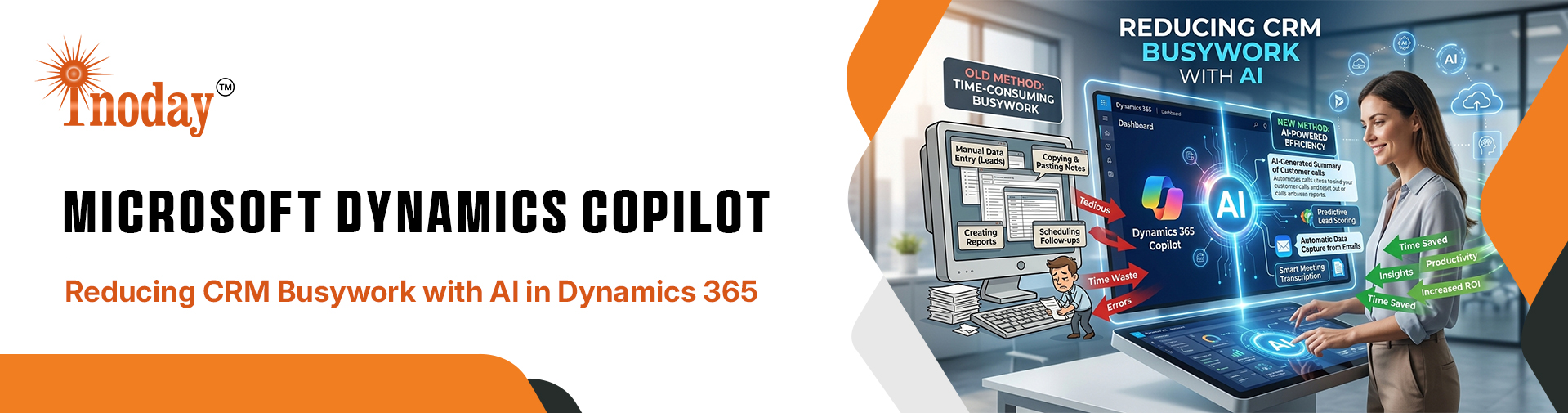
Sales and service teams using Microsoft Dynamics Copilot spend a surprising amount of time on repetitive CRM work. Writing follow-up emails, updating opportunity records, summarizing meetings, and reviewing case histories can easily take attention away from the conversations that actually move deals forward and solve customer problems.
That is where Microsoft Dynamics Copilot is making a real difference. Built into Dynamics 365, Copilot helps teams reduce manual effort, respond faster, and keep CRM data more complete without adding extra work. Instead of treating CRM as a system full of administrative chores, businesses can use AI to make it a more efficient and intelligent workspace.
Why CRM Work Slows Teams Down
Most CRM friction comes from the same familiar routines. A call ends, but the notes still need to be written. A prospect asks for a follow-up, but the email still has to be drafted. A customer issue comes in, but the service agent first has to dig through a long case history before taking action.
This kind of work is necessary, but it slows teams down. It also creates a second layer of effort on top of the actual customer-facing job. Salespeople want to sell. Service agents want to help. Managers want to understand pipeline health and team performance. Yet too much time gets lost in updates, summaries, reminders, and record maintenance.
Dynamics 365 Copilot helps reduce that burden by handling many of the repetitive steps in the background. The result is a smoother workflow and more time spent on high-value work.
How Microsoft Dynamics Copilot Improves Daily Productivity
Faster email drafting
One of the most immediate benefits of Microsoft Dynamics Copilot is faster email creation. Instead of starting from a blank page, users can generate personalized follow-up messages based on customer conversations, meeting notes, and opportunity details.
This is especially useful for sales teams that need to move quickly after a call or demo. Copilot helps draft emails that are more relevant, more specific, and easier to send without spending twenty minutes trying to phrase the perfect message.
Smarter meeting summaries
After a customer call, the details often get lost in scattered notes or memory. Copilot can create concise summaries that capture key discussion points, decisions, and next steps.
This reduces the risk of missing important follow-up items and makes it easier for teams to stay aligned. It also helps managers and other team members understand what happened in the meeting without reading through a long transcript or incomplete notes.
Cleaner CRM updates
Keeping CRM records updated is important, but it is often the task users postpone the most. Copilot helps by suggesting next steps, record updates, and opportunity changes based on the context of the conversation.
This makes CRM hygiene feel less like a manual burden and more like a natural part of the workflow. When updates are easier to complete, the system stays more accurate and more useful for everyone who relies on it.
Better visibility for managers
For managers, one of the biggest challenges is getting a clear picture of pipeline health, team activity, and deal progress without spending hours reviewing records. Copilot-generated summaries can help surface the most important information faster.
Instead of digging through every note and activity, managers can focus on coaching, forecasting, and identifying risk earlier in the process. That means better decisions, better prioritization, and less time spent sorting through cluttered data.
Faster customer service
Customer service teams also benefit from Microsoft Dynamics Copilot. When a case arrives, the agent may need to understand a long history before responding. Copilot can summarize cases, suggest actions, and help draft responses so agents can act sooner.
That matters because customers expect quicker, more consistent service. The less time an agent spends searching for context, the faster they can resolve the issue and provide a better experience.
What Microsoft Dynamics Copilot Means for Dynamics 365 Users
For organizations already using Dynamics 365, the value of AI is not just speed. It is the reduction of friction across everyday CRM work.
Microsoft Copilot for Dynamics 365 helps users spend less time on administrative follow-up and more time on selling, supporting customers, and making informed decisions. It is especially valuable for teams that want to improve productivity without replacing the systems they already depend on.
Rather than adding another disconnected tool, Copilot brings intelligence into the CRM environment itself. That makes adoption easier and the benefits more immediate.
Why Microsoft Dynamics Copilot Matters for Business Growth
When CRM work becomes easier, the entire customer process improves.
Sales teams follow up faster. Service teams resolve cases more efficiently. Managers get clearer visibility into what is happening across the pipeline. Data quality improves because users are more likely to keep records current when the process feels simpler.
Over time, this creates a stronger operating rhythm. Communication becomes more consistent, records stay cleaner, and teams spend more time on meaningful customer engagement. That is the bigger value of AI in Dynamics 365. It is not simply about automation for the sake of automation. It is about making the people who use CRM more effective every day.
How inoday Can Help
For businesses evaluating Microsoft Dynamics Copilot, implementation matters as much as the feature itself. The right setup ensures Copilot supports real business workflows instead of becoming just another AI layer inside CRM.
At inoday, we help organizations align Dynamics 365 with the way their teams actually work. That includes improving sales processes, streamlining service workflows, and making sure the CRM system supports better productivity from day one. When AI is configured well, it becomes a practical advantage rather than a novelty.
This is especially relevant for companies looking to strengthen sales productivity in Dynamics 365, improve customer service automation, or build a more responsive CRM environment overall.
Key Takeaway: Microsoft Dynamics Copilot
Microsoft Dynamics Copilot is not about replacing people. It is about removing the repetitive work that slows people down.
For organizations using Dynamics 365, it offers a practical way to improve productivity, improve data quality, and make CRM work feel far less manual. If your team is still spending too much time on follow-ups, summaries, and updates, Copilot can help turn CRM from a burden into a more intelligent part of the workflow.